CuteFTP
Configuration for Erol's
Page Three
After modifying files on your local machine, uploading them to the Erol's WWW server is the next step. To upload a file, find it in the left window, and do one of three things : go up to the "Commands" menu and click on "Upload"; press Control-PageUp on
your keyboard; or drag the little document icon from the left window to the right window :
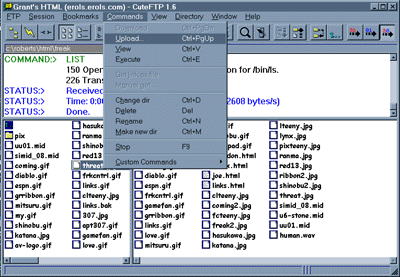
Uploading a file
If, for some reason, you want to download a file, the process is almost identical. Go up to the "Commands menu and click on "Download"; press Control_PageDown on your keyboard; or drag the little document icon from the right window to the left window :

Downloading a file
It's that easy. CuteFTP is available on our home page, and is probably the easiest of the popular FTP programs. All customers who are working with web pages should use it.
back | home