CuteFTP
Configuration for Erol's
Page One
The first thing you see when you start up CuteFTP is the Site Manager. From here, you want to add a new site. Click on the "Add Site" button :
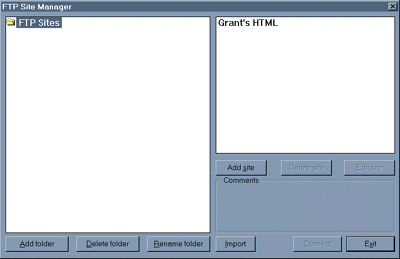
Click on the add site button
You should see the screen below. For "Site Label" you can have pretty much anything you want. For "Host Address" you should have erols.erols.com. For "User ID" and "Password", use your dialin userid and password. "Initial Remote Directory" and "Initial Local Directory" are personal preference, but having your main html directory in "Initial Remote Directory" saves time. Just put html in the "Initial Remote Directory" field.
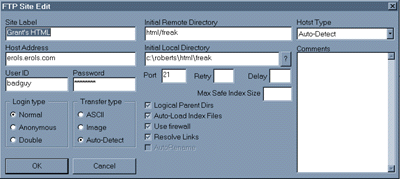
The Add Site menu.
After you've created a site, just click on "Connect". You'll get a box that looks like the one below. Just click on "OK" and you're in.
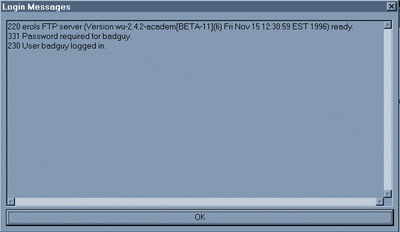
Logging in to the WWW server
home | next